


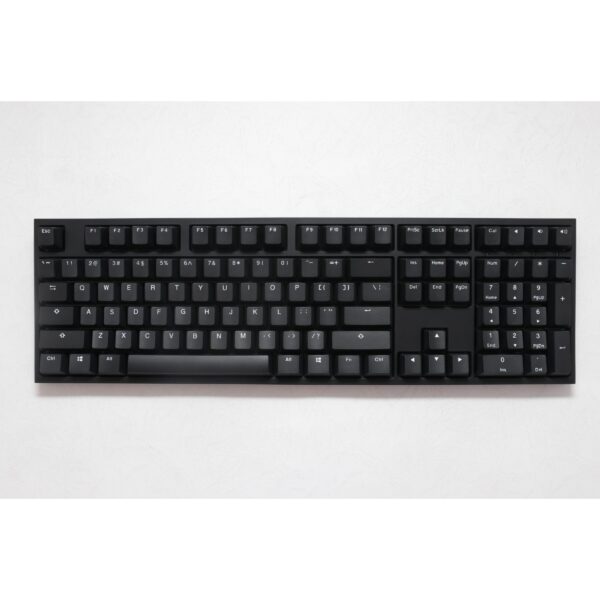


100% LAYOUT HOTSWAP KEYBOARD KIT
GK108/GK108S kit is designed with the full layout to be more suitable for traditional typing habit. It is equipped with hot swappable terminals, with which you could install the switches directly without soldering. It’s compatible with Cherry MX switches, Kailh switches and Gateron switches and any other 3 pin or 5 pin switches. You can easily build up your own mechanical keyboard with this kit.
3 LAYERS FULLY PROGRAMMABLE
Custom is not just a word. We make it true. Here you can reach micro settings. Simply download the driver and you will be able to program the backlight and macro settings. Built-in flash memory can save the setting at offline mode, never afraid of losing it.
16.8 MILLION RGB BACKLIGHT AND MUSIC MODE
RGB is such a cool element while playing games. GK108/GK108S kit fully knows your needs and thus this model is equipped with RGB SMD light. More than 16.8 million lights are available. RGB atmosphere along with the music rhyme effect are quite matched beyond your imagination. It’s more than a keyboard but also a fun toy.
PROFESSIONAL FULL-SIZE KEYBOARD KIT
GK108/GK108S kit comes with our super hardware architecture. The chipset is 32 Bit MCU + 8M Flash on-board memory, and 3 pieces independent 256*256*256 RGB color management chip. Powerful and functional DIY kit. It contains all you need for a custom keyboard: steel mounting plate, PCB, ABS frame, stabilizers, Type-C cable.
Three Layers Programmable Modes
User Defined Mode
Press FN+6^, 6^ white light will turn on and then you are in onboard layer-1, press FN+W again to back to standard mode
Mac OS Mode
- Press FN+7&, 7& white light will turn on and then you are in onboard layer-2, Mac OS keyboard mode, press FN+E again to back to standard mode


